

Install the app
Install Launch Day - Store locks from the Shopify App Store. Shopify will ask you to approve the permissions Launch Day - Store locks needs, then open the app inside your Shopify admin.Activate the Lock Screen block
Launch Day - Store locks locks your storefront through a theme app extension — you turn this on once. This needs to be enabled before locks you create in Launch Day - Store locks will be enforced on your storefront.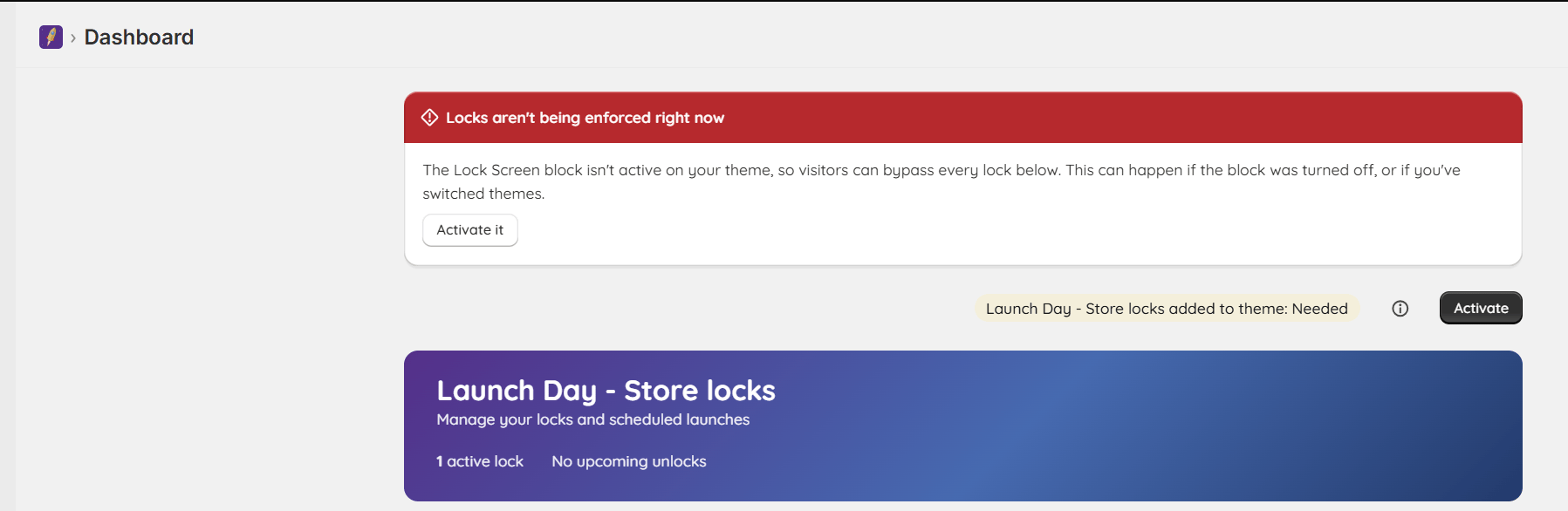
The Dashboard warns that locks aren't being enforced and shows an Activate button.
- From Launch Day - Store locks’ Dashboard, click Activate on the extension status banner (or go to your theme editor directly: Online Store → Themes → Customize).
- In the theme editor, open App embeds in the left sidebar.
- Turn on Launch Day - Store locks: Lock Screen.
- Save.
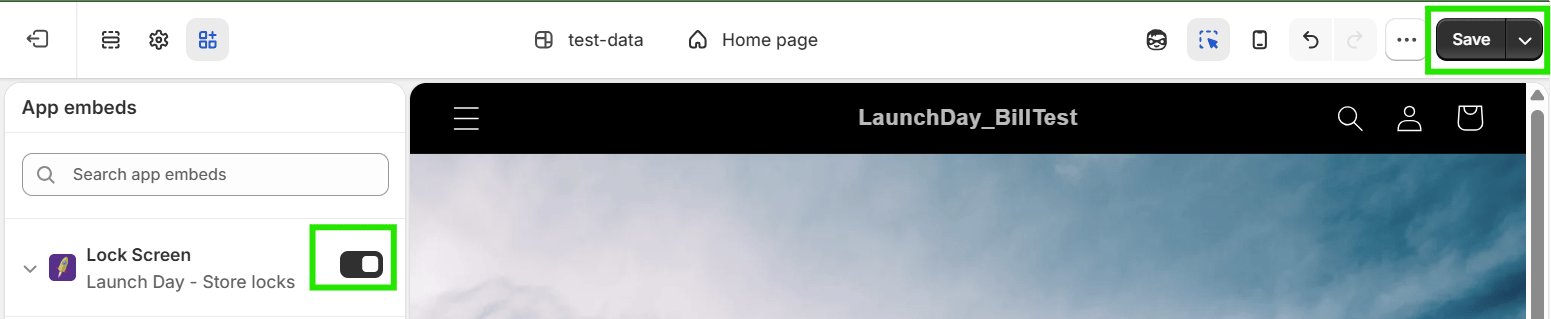
Turn on the Lock Screen toggle in App embeds, then click Save.
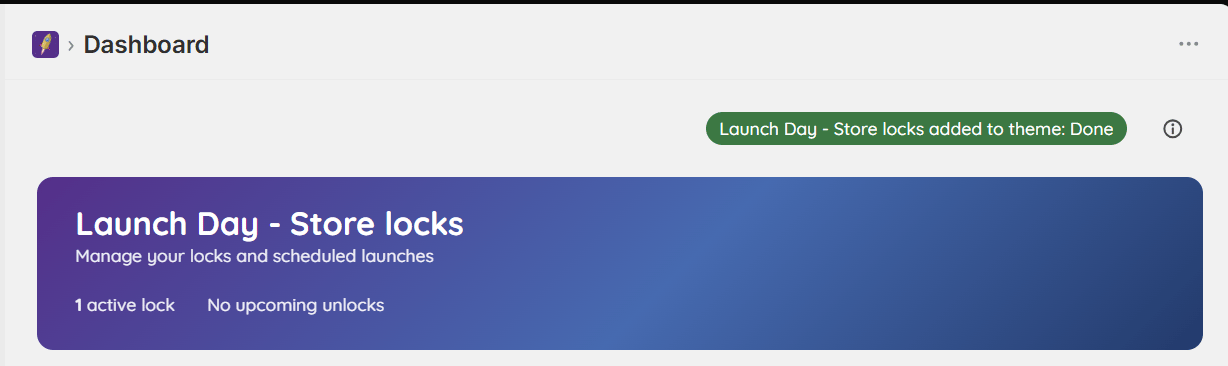
When the embed is active, the badge reads Done.
Where the Lock Screen applies
The Lock Screen is an app embed, so it isn’t tied to one template or section. Once it’s on, it applies across your theme’s storefront pages — home, collections, products, pages and the rest. You don’t add it to individual templates. Checkout isn’t part of your theme, so it isn’t covered by the Lock Screen block. The embed also has a few text settings (heading, description, button label and passcode field placeholder). Open the Lock Screen entry in App embeds to change them — see Customizing the lock screen.Turn the Lock Screen off
You normally want it on. Turn it off only if you want to pause every lock at once, for example while you test your theme.- Go to Online Store → Themes → Customize.
- Open App embeds in the left sidebar.
- Turn off Launch Day - Store locks: Lock Screen.
- Save.
If you switch to a different theme later, you’ll need to activate the block again on the new theme — Shopify doesn’t carry over app embeds automatically. Launch Day - Store locks will email you and show a banner in the Dashboard if it ever detects the block has been turned off or left behind on a theme switch.